
What You'll Learn
Six core competency areas — from Kotlin fundamentals to Firebase, APIs, and Play Store deployment
Android Studio & Kotlin
Master the Android ecosystem, IDE setup, and the modern Kotlin syntax that powers Android apps today.
FoundationUI Components & Material Design
Build polished interfaces with RecyclerView, CardView, and Google's Material Design system.
Core SkillActivities, Intents & Fragments
Architect multi-screen apps with proper navigation, lifecycle management, and data passing.
EssentialFirebase & Cloud Storage
Add authentication, realtime database, and Firestore to build connected, data-driven apps.
In-DemandREST APIs & Location Services
Fetch live data with Retrofit and integrate Google Maps for location-aware features.
High ImpactTesting & App Deployment
Debug confidently with Logcat, optimize performance, and ship real capstone apps to production.
Career ReadyBuilt to Get You Hired as an Android Developer
A program that combines rigorous theory with hands-on practice — so you graduate with both a portfolio and a certificate.
This Android Development course is built on an industry-aligned curriculum. You'll learn the Android ecosystem, set up Android Studio, understand project structure, and build your first apps with Java and Kotlin — then progress through UI components, activities, fragments and Material Design.
From there you'll add local and cloud storage with Firebase, integrate REST APIs, handle background tasks and push notifications, work with Google Maps, and learn to test and debug like a professional — culminating in capstone projects including an e-learning app, a food delivery app, and an expense tracker, ending in real Play Store deployment.
Course Benefits
Course Curriculum
Five stages, fifteen modules, one pipeline to becoming an Android developer — click any module to expand
- Android OS & its history
- Installing Android Studio & emulator
- Project structure & your first Hello World app
- Java & Kotlin fundamentals
- Variables, data types, conditions & loops
- Functions & why Kotlin is preferred
- Manifest file & resource folders
- Layout files (XML), Views & ViewGroups
- Linear, Relative & Constraint layouts
- TextView, EditText, Button, ImageView
- Toast & Log
- Handling click events
- RecyclerView, CardView & ListView
- The Adapter concept
- Building a simple list app
- Activity lifecycle
- Explicit & implicit intents
- Passing data; opening camera & browser
- What is a Fragment & its lifecycle
- Navigation Component
- Bottom navigation bar app
- Material Design principles & components
- Themes & styles
- Splash screen design & dark mode
- SharedPreferences & SQLite
- Room Database
- Mini project: Notes App
- Authentication (email/password)
- Realtime Database & Firestore
- Firebase Hosting
- What is an API & JSON parsing
- Using the Retrofit library
- Weather app example
- Services & Broadcast Receiver
- Push notifications
- Firebase Cloud Messaging
- Location permissions
- Google Maps API integration
- Building a location tracker app
- Logcat & debugging techniques
- Exception handling
- App optimization & performance
- Capstone: E-Learning App
- Capstone: Food Delivery / Expense Tracker App
- App deployment
Capstone Project · Dual Certification · Placement Ready
Every stage feeds into a portfolio-ready Android developer — backed by 8+ live projects and a performance-based LOR.
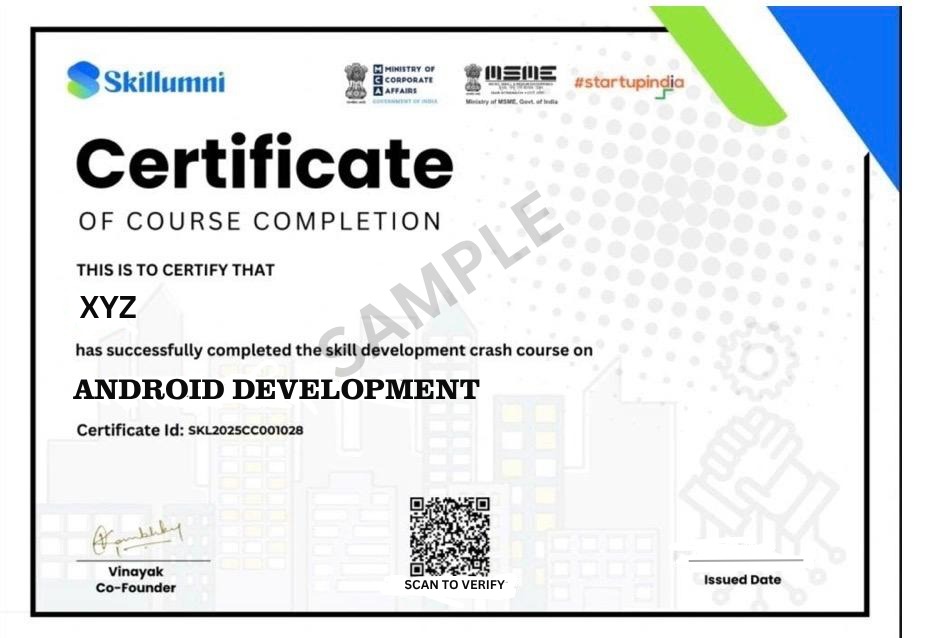
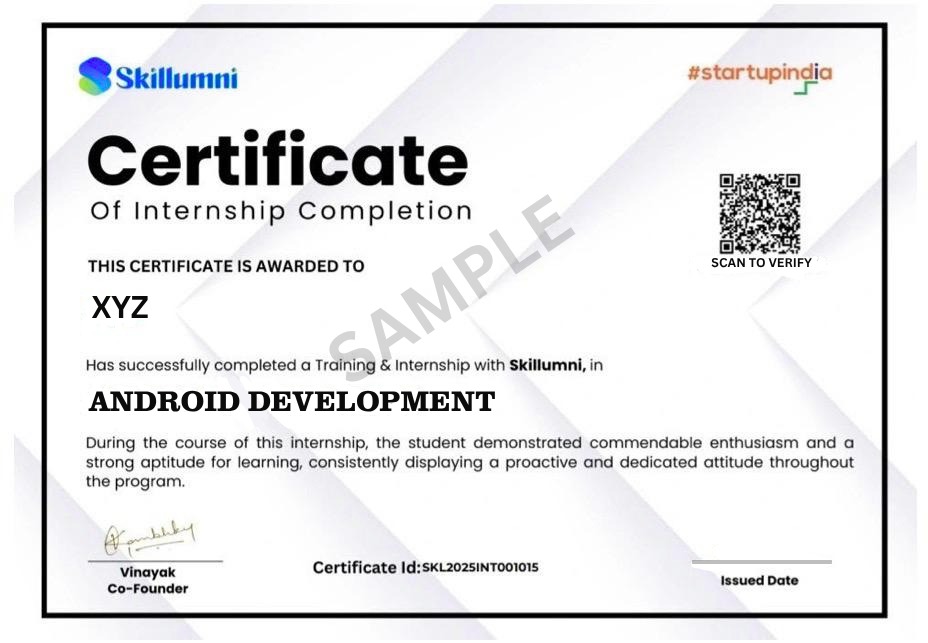
Your Dual Certificates
Two industry-recognized credentials awarded on successful completion
Why Choose This Course
Everything you need to go from curious learner to confident Android developer
Industry-Aligned Curriculum
A structured path from Android fundamentals all the way to Firebase, APIs, and deployment.
Hands-On Projects
Build list apps, a notes app, a weather app, and a full capstone mobile project.
Dual Certification
Course Completion + Internship Certificate — two industry-recognized credentials in one program.
Mentor Support
Get guidance from experts in Android and mobile development, whenever you're stuck.
Self-Paced Learning
Learn at your own pace with lifetime access to course materials and future updates.
Career Support
Placement assistance and direct access to our network of mobile development hiring partners.
Requirements
- No prior experience required — beginners are welcome
- Interest in mobile apps, programming, and UI design
- A computer with a stable internet connection
- Android Studio installation recommended — we'll guide you through setup
Material Includes
- 35+ hours of video lectures
- Lifetime LMS access — revisit anytime
- Section quizzes & assessments
- Industry-based hands-on projects
- Certificate of Completion
- Internship Experience Certificate
Simple, Transparent Pricing
Pick the learning style that suits you best — both include dual certification and placement support