
What You'll Learn
Six core competency areas — from the AutoCAD interface to print-ready, professional drawings
AutoCAD Interface & Basic Drawings
Navigate the workspace, manage files, and create your first precise 2D objects.
FoundationPrecision Tools & Object Manipulation
Master object snaps, units, and commands to move, rotate, mirror, and array with accuracy.
Core SkillLayers & Drawing Organization
Organize complex drawings with layers, properties, and inquiry/measurement commands.
EssentialAnnotation & Dimensioning
Add text, leaders, and accurate dimensions that communicate design intent clearly.
In-DemandHatching & Reusable Content
Apply hatch patterns and tool palettes to speed up repetitive drafting work.
High ImpactLayouts, Plotting & Templates
Set up viewports, page setups, and templates to output professional, print-ready drawings.
Career ReadyBuilt to Get You Hired in CAD Drafting
A program that combines rigorous theory with hands-on practice — so you graduate with both a portfolio and a certificate.
This AutoCAD course is built on an industry-aligned curriculum. You'll learn the AutoCAD interface, working with files, creating basic drawings and objects, and essential drafting workflows used in architecture, engineering, and design.
From there you'll build practical skills in object snaps, units, manipulation commands, layers, layouts, annotation, dimensioning, hatching, plotting, and drawing templates — so you can create, organize, and output professional 2D CAD drawings with confidence.
Course Benefits
Course Curriculum
Four stages, twelve modules, one pipeline to becoming a confident CAD drafter — click any module to expand
- Taking the AutoCAD tour
- Working with files
- Creating basic drawings & objects
- Object snap, polar tracking & snap
- Object snap tracking
- Architectural & surveyor's units
- Moving & creating objects from existing ones
- Rotating, mirroring & scaling
- Patterns, arrays & challenge exercises
- Organizing objects with layers
- Properties palette & linetypes
- Inquiry & measure tools
- Trimming & extending to boundaries
- Joining & breaking objects
- Radius corners & shape edits
- Creating a new layout
- Rectangular viewports & scale factor
- Manipulating & rotating viewports
- Multiline text (MText) & columns
- Single line text
- Editing text & text styles
- Dimensions on linear & curved objects
- Dimension styles
- Multileaders
- Hatch patterns & gradient fills
- Associative hatch patterns
- Creating & editing hatched objects
- Tool palette tools
- Adding content from palettes
- Architectural & mechanical challenge exercises
- Page setups & applying to layouts
- Plotting from model space & layouts
- Plot & preview commands
- About drawing templates
- Template options
- Creating your own templates
Capstone Project · Dual Certification · Placement Ready
Every stage feeds into a portfolio-ready CAD drafter — backed by 6+ live drafting projects and a performance-based LOR.
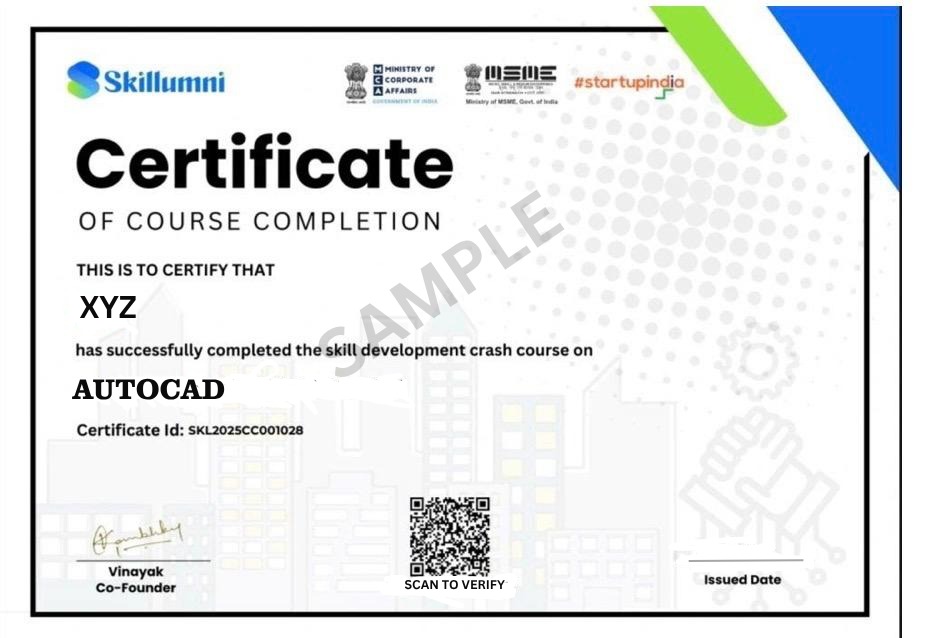
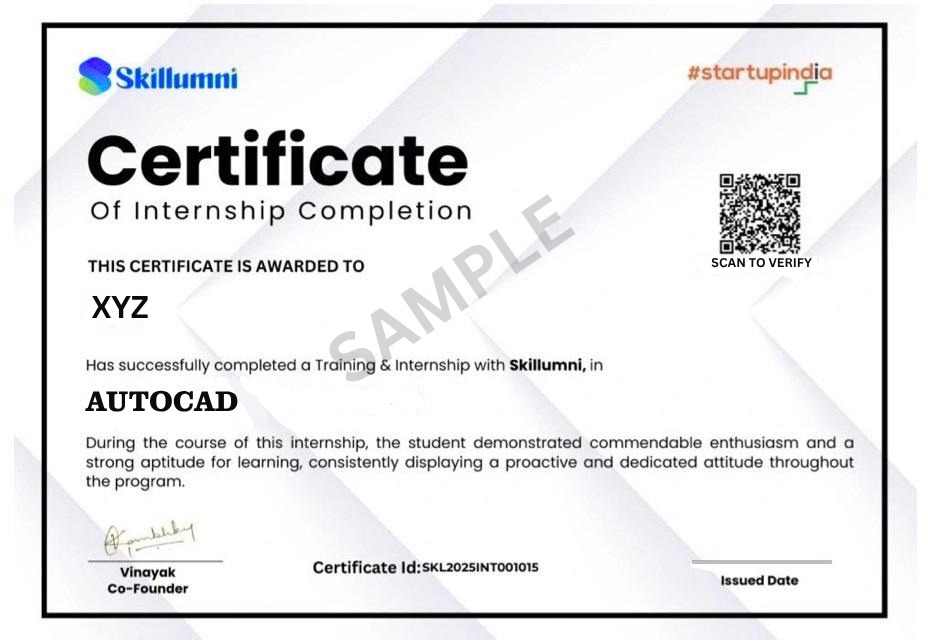
Your Dual Certificates
Two industry-recognized credentials awarded on successful completion
Why Choose This Course
Everything you need to go from curious learner to confident CAD drafter
Industry-Aligned Curriculum
A structured path from basic drawings all the way to layouts and plotting.
Hands-On Projects
Apply skills through architectural and mechanical drawing challenge exercises.
Dual Certification
Course Completion + Internship Certificate — two industry-recognized credentials in one program.
Mentor Support
Get guidance from experts in AutoCAD and technical drafting, whenever you're stuck.
Self-Paced Learning
Learn at your own pace with lifetime access to course materials and future updates.
Career Support
Placement assistance and direct access to professionals in CAD and design.
Requirements
- No prior AutoCAD experience required — beginners are welcome
- Interest in drafting, design, architecture, or mechanical drawing
- A computer with a stable internet connection
- AutoCAD software access recommended — we'll guide you through setup
Material Includes
- 35+ hours of video lectures
- Lifetime LMS access — revisit anytime
- Section quizzes & assessments
- Industry-based hands-on projects
- Certificate of Completion
- Internship Experience Certificate
Simple, Transparent Pricing
Pick the learning style that suits you best — both include dual certification and placement support